
Published – February 4 Last Updated: February 4, 2026
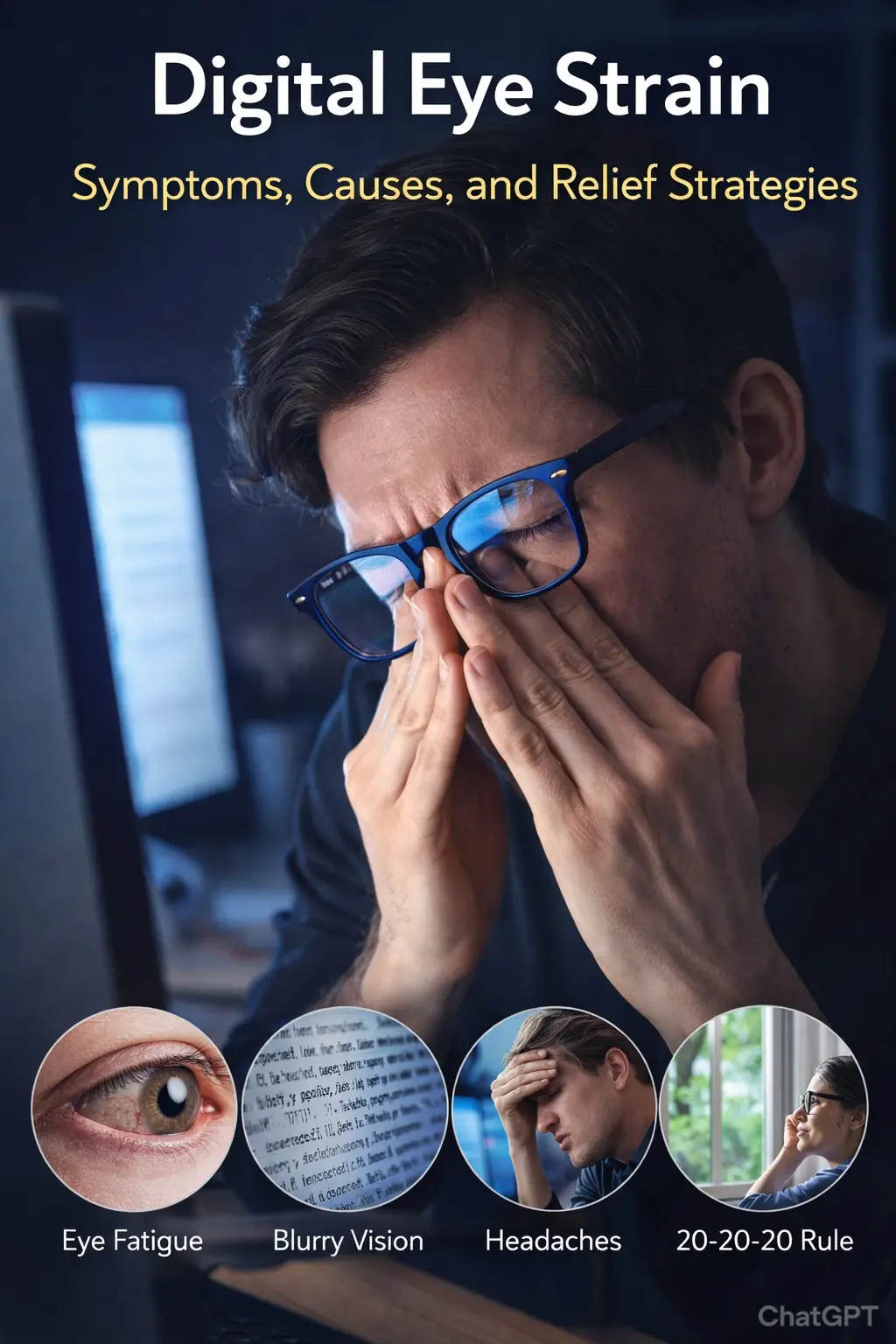
Do your eyes feel tired after looking at screens? You’re not alone. Digital eye strain affects up to 90% of people who use computers regularly!
Also called computer vision syndrome, this condition causes discomfort, blurred vision, and headaches. But the good news? It’s completely preventable and treatable.
In this guide, you’ll learn:
- What causes digital eye strain
- Common symptoms to watch for
- The famous 20-20-20 rule
- How to set up your screen correctly
- Quick relief strategies
- Long-term prevention tips
Let’s give your eyes the relief they deserve!
What You’ll Learn
✓ Symptoms and causes of digital eye strain
✓ The 20-20-20 rule explained
✓ Perfect screen positioning
✓ Blue light effects and protection
✓ Instant relief techniques
✓ Prevention strategies
What Is Digital Eye Strain?
Digital eye strain is a group of eye and vision problems caused by prolonged use of digital devices. This includes computers, tablets, smartphones, and e-readers.
How Screens Affect Your Eyes
Your eyes work harder when looking at screens
- You blink less (66% less than normal!)
- Eyes must constantly refocus
- Glare and reflections cause strain
- Poor contrast makes eyes work harder
- Blue light exposure increases
Normal blinking – 15-20 times per minute
Screen blinking – 5-7 times per minute
This reduced blinking causes your eyes to dry out.
The Science Behind the Strain
When you look at a screen
- Eye muscles contract to focus
- They stay contracted for long periods
- This causes fatigue and discomfort
- Eyes don’t get breaks to relax
- Focusing muscles get tired
The American Optometric Association says computer vision syndrome affects most people who spend 2+ hours daily at screens.
→ Complete guide: Complete Guide to Eye Health: Vision Care, Prevention & Wellness
Common Symptoms of Digital Eye Strain
What are the signs that point to digital eye strain?
Eye Symptoms
You might experience:
- Tired, heavy eyes
- Burning or stinging sensation
- Dry, scratchy eyes
- Watery eyes (seems odd, but common!)
- Red or bloodshot eyes
- Difficulty focusing
- Blurred vision
- Double vision
Symptoms usually worsen
- As the day goes on
- After long screen sessions
- In dry environments
- With poor lighting
Vision Problems
Screen eye fatigue can cause:
- Blurred vision when looking at the screen
- Blurred distance vision after screen use
- Trouble switching focus (near to far)
- Increased sensitivity to light
- Difficulty reading small text
- Colours seem less vibrant
Physical Symptoms
Beyond your eyes
- Headaches (frontal or around eyes)
- Neck pain
- Shoulder tension
- Back pain
- General fatigue
This happens because
- Poor posture while viewing the screen
- Tilting the head to see clearly
- Hunching forward
- Tense shoulders from concentration
Frequency Matters
Occasional symptoms – Normal if you have a long screen day
Daily symptoms – You need to make changes
Severe symptoms: See an eye doctor
What Causes Digital Eye Strain?
Understanding causes helps you find solutions to screen eye fatigue.
1. Prolonged Screen Time
Simple but significant
- Hours without breaks
- Eyes constantly working
- No rest for the eye muscles
- Continuous focusing
Average person – 7+ hours daily on screens!
2. Reduced Blinking
The main culprit for dry eyes
- Intense concentration reduces blinking
- Incomplete blinks (don’t close fully)
- Less tear distribution
- Eyes dry out quickly
3. Poor Screen Position
Too close, too far, wrong height
- Forces awkward eye positions
- Increases strain
- Causes neck pain
- Makes focusing harder
4. Bad Lighting
Glare and harsh lights
- Overhead lights create screen glare
- Bright windows behind the screen
- Too-dim rooms (eyes work harder)
- Harsh LED lights
5. Screen Quality Issues
Old or poor-quality screens
- Low resolution
- Flickering
- Poor contrast
- Small text size
6. Uncorrected Vision Problems
Underlying issues
- Mild nearsightedness
- Mild farsightedness
- Astigmatism
- Aging eyes (presbyopia)
Even small vision problems cause big strain during prolonged screen use.
7. Blue Light Exposure
Digital screens emit blue light
- High-energy visible light
- Disrupts sleep if used at night
- May contribute to eye fatigue
- Harder for the eyes to focus
→ Learn more: Blue Light and Eye Health: Protection Strategies for Screen Users
The 20-20-20 Rule: Your Best Defence
This simple rule is the most effective way to prevent digital eye strain.
What Is the 20-20-20 Rule?
Every 20 minutes
- Look at something 20 feet away
- For at least 20 seconds
That’s it! Simple but powerful.
Why It Works
This rule helps because
- Relaxes focusing muscles
- Allows eyes to reset
- Reduces accommodation fatigue
- Gives eyes a break from screens
- Encourages blinking
20 feet is important – At this distance, your eyes are essentially at rest (not focusing).
How to Remember
Make it easy
Set reminders
- Phone timer every 20 minutes
- Computer app (like EyeCare, Workrave, Time Out)
- Smartwatch alerts
- Sticky note on the monitor
Create visual cues
- Place a plant 20+ feet away
- Look out the window at distant objects
- Focus on something at the end of the room/office
Build habits
- Do it every time you get coffee
- When the phone rings, look away first
- Between tasks or projects
During Your 20-Second Break
Make it count
- Stand up and stretch
- Walk a few steps
- Roll shoulders
- Breathe deeply
- Blink 10-15 times
- Look at something pleasant (nature!)
Don’t check your phone! This defeats the purpose.
Perfect Screen Setup to Reduce Strain
Proper workspace ergonomics significantly reduces computer vision syndrome.
Screen Position
Horizontal distance
- 20-26 inches from your eyes
- About an arm’s length away
- Further for larger monitors
Screen height
- Position the top edge of the screen level with, or just beneath, your eyes.
- Center of screen 15-20 degrees below eye level
- This puts your eyes in a natural resting position
Why this matters
- Reduces neck strain
- Optimal viewing angle
- Less eye muscle effort
Screen Angle
Tilt slightly back
- Top tilted away from you (10-20 degrees)
- Bottoms closer to you
- Reduces glare
- More comfortable viewing
Multiple Monitors
If you use two screens
- Place the primary monitor directly in front
- Secondary monitor to the side at a 30-degree angle
- Both are at the same height
- Avoid constant neck turning
Text Size
Make it readable
- Text should be 2-3 times larger than the smallest you can read
- Use Zoom features freely
- Don’t squint or lean forward
Rule of thumb – If you’re leaning forward, the text is too small!
Screen Settings
Optimize display
Brightness
- Match the surrounding lighting
- Not brighter than the environment
- Adjust throughout the day
Contrast
- High contrast reduces strain
- Black text on a white background is best for most
- Dark mode if you prefer (nighttime)
Colour temperature
- Warmer (more yellow) is better
- Use “night mode” or “reading mode.”
- Especially important evening use
Reduce Glare
Glare causes significant strain
Solutions
- Position the screen perpendicular to the windows
- Close blinds or curtains
- Use an anti-glare screen filter
- Adjust screen angle
- Keep the screen clean (dust creates glare)
Lighting – The Often-Overlooked Factor
Proper lighting dramatically reduces digital eye strain.
General Room Lighting
Avoid extremes
- Not too bright (creates glare)
- Not too dim (eyes work harder)
- About half as bright as a typical office
Best lighting
- Soft, diffused light
- No harsh overhead lights
- Natural light is ideal (but avoid glare)
Task Lighting
For reading papers while at the computer
- Use an adjustable desk lamp
- Position to the side (not behind or in front)
- Light the document, not the screen
- Soft white bulb (not harsh blue white)
Avoid Contrast Extremes
Your eyes constantly adjust between
- Bright screen and dark surroundings = strain
- Dark screen and bright surroundings = strain
Solution – Keep the ambient light moderate.
Window Management
Natural light is wonderful, but
- Don’t sit facing a bright window
- Don’t sit with the window directly behind the screen
- Use sheer curtains to diffuse light
- Close blinds during harsh sun
Blue Light – What You Need to Know
Blue light is a hot topic in screen eye fatigue discussions.
What Is Blue Light?
High-energy visible light
- Short wavelength (380-500nm)
- Emitted by digital screens
- Also, from the sun (main source)
- Harder for the eyes to focus
Does Blue Light Cause Eye Strain?
Science is mixed
What we know
- Blue light may contribute to eye fatigue
- Mainly affects sleep (disrupts melatonin)
- Not proven to cause permanent damage
- Long-term effects are still being studied
Main concern – Sleep disruption from evening use.
Blue Light Protection
Should you use blue light filters?
They may help by
- Reducing glare
- Making the screen easier to view
- Improving sleep if used at night
- Reducing eye fatigue
Options
Built-in screen settings
- Night mode/Night shift
- Reading mode
- Warm colour temperature
- Use after sunset
Blue light glasses
- Block or filter blue light
- May reduce eye strain for some people
- More effective for evening use
- Won’t cure poor habits
Screen filters
- Physical filter over the screen
- Reduces blue light
- Also reduces glare
Bottom line: Blue light filters may help, but aren’t a cure-all. The 20-20-20 rule and proper ergonomics matter more!
→ Deep dive: Blue Light and Eye Health: Protection Strategies for Screen Users
Quick Relief for Tired Eyes
When your eyes feel strained, try these instant relief techniques.
1. Blink Consciously
Do this right now
- Close your eyes fully
- Hold for 2 seconds
- Open slowly
- Repeat 10 times
This
- Rewets your eyes
- Distributes tears
- Gives a break from the screen
- Reduces dryness
2. Palming
Instant relaxation
- Rub hands together (create warmth)
- Cup hands over closed eyes
- Don’t press on the eyeballs
- Rest your elbows on the desk
- Relax and breathe deeply
- Hold 30 seconds to 2 minutes
Feel the relief!
3. Eye Exercises
Focus change
- Hold a finger 10 inches from face
- Focus on finger (5 seconds)
- Look at something 20 feet away (5 seconds)
- Repeat 5 times
Eye rolls
- Slowly roll eyes in circles
- 5 times clockwise
- 5 times counterclockwise
→ More exercises: Eye Exercises to Improve Vision: Science-Backed Techniques
4. Cool Compress
For hot, tired eyes
- Wet a washcloth with cool water
- Wring out excess
- Place over closed eyes
- Hold 5-10 minutes
Or use chilled cucumber slices.
5. Artificial Tears
For dry eyes
- Use preservative-free eye drops
- 1-2 drops per eye as needed
- Lubricates and refreshes
- Safe for frequent use
Keep it at your desk!
6. Change Focus Distance
Give eyes a break
- Look out the window
- Focus on distant objects
- Let eyes wander naturally
- Do for 2-3 minutes
7. Adjust Environment
Quick fixes
- Turn down the screen brightness
- Close blinds to reduce glare
- Adjust room lighting
- Move the screen position slightly
Long-Term Prevention Strategies
Make these habits part of your routine to prevent computer vision syndrome.
Get Regular Eye Exams
Very important
- Tell the doctor about screen time
- Get a prescription updated
- Consider computer glasses
- Check for underlying issues
Computer glasses
- Optimized for screen distance
- May have a blue light coating
- Different from regular glasses
- Reduce strain significantly
Optimize Your Whole Workspace
Beyond just the screen
- Ergonomic chair (adjustable)
- Desk at proper height
- Feet flat on the floor
- Keyboard and mouse positioned well
- Everything is within easy reach
Take Real Breaks
Beyond 20-second breaks
- 5-10 minute break every hour
- Get up and move around
- Avoid all screens during break
- Socialize, stretch, get water
Movement matters!
Stay Hydrated
Dry environment + reduced blinking = dry eyes
Drink water
- 8-10 glasses daily
- Keep a water bottle at the desk
- Sip regularly
- Reduces overall eye dryness
→ Learn more: Hydration and Eye Health: Water’s Role in Vision Wellness
Use a Humidifier
If your environment is dry
- Especially with heating/AC
- Adds moisture to the air
- Prevents eye drying
- Aim for 30-50% humidity
Practice Good Sleep Hygiene
Quality sleep helps eye health
- 7-9 hours nightly
- Avoid screens 1-2 hours before bed
- Keep the bedroom dark
- Use blue light filters on devices at night
Manage Stress
Stress worsens eye strain
- Take mental breaks
- Practice deep breathing
- Don’t work excessive hours
- Step away when frustrated
Special Considerations
Different situations need different approaches.
Working from Home
Challenges
- Less-than-ideal setup
- Longer hours
- Fewer natural breaks
Solutions
- Invest in a proper desk and chair
- Set up a dedicated workspace
- Use a timer for breaks
- Don’t work from bed or couch
Smartphone and Tablet Use
Special considerations
Hold devices properly
- 16-18 inches away
- Slightly below eye level
- Not too close!
Limit use
- Take frequent breaks
- Don’t use it in bed before sleep
- Increase text size
- Use voice features when possible
Gaming
Gamers are at high risk
- Very long sessions
- Intense concentration
- Often poor lighting
Protect yourself
- Follow the 20-20-20 rule (set timer!)
- Take breaks between games
- Optimize screen settings
- Sit at a proper distance
- Use good lighting
Children and Screens
Kids are vulnerable
- Eyes still developing
- Less awareness of symptoms
- Long school screen time
Protect children’s eyes
- Limit recreational screen time
- Enforce break rules
- Ensure proper setup
- Regular Eye Exams
- Outdoor time daily
When to See a Doctor
Most digital eye strain improves with lifestyle changes. But sometimes you need professional help.
See an Eye Doctor If
Symptoms persist despite changes
- You’ve tried all strategies
- Still have daily discomfort
- Symptoms interfering with work/life
Vision changes
- Blurred vision that doesn’t clear
- Double vision
- Difficulty reading
- Frequent prescription changes
Pain or severe symptoms
- Eye pain (not just tiredness)
- Severe headaches
- Light sensitivity worsening
- Red eyes that don’t clear
Possible underlying conditions
- May need glasses or an updated prescription
- Could have dry eye syndrome
- Might have a focusing problem
- May need specialized computer glasses
FAQs about Digital Eye Strain
Can digital eye strain damage my eyes permanently?
No. Digital eye strain causes discomfort but doesn’t cause permanent damage. However, it significantly affects the quality of life and productivity.
How long does it take for symptoms to improve?
Most people notice improvement within days of making changes. Full relief may take 1-2 weeks.
Do I need special computer glasses?
Not everyone does. But if you have mild vision issues or spend 6+ hours at screens daily, they can help significantly.
Is dark mode better for the eyes?
Personal preference matters. Some find dark mode easier at night. During the day, most people prefer light mode with proper brightness.
Can children get digital eye strain?
Yes! Kids are especially vulnerable to increased screen time for school and entertainment. Apply the same strategies.
Does digital eye strain cause nearsightedness?
Not directly. But excessive close work (including screens) in childhood is linked to myopia development.
How often should I take breaks?
Minimum every 20 minutes (20-20-20 rule) plus a longer 5-10 minute break every hour.
Can I use digital eye strain relief eye drops?
Yes. Artificial tears (preservative-free) are safe and effective for associated dryness. But fix underlying causes too!
Final Thoughts
Digital eye strain is incredibly common in our screen-filled world. But it’s also very preventable and treatable!
The key facts:
- 90% of computer users experience symptoms
- Simple changes make a huge difference
- 20-20-20 rule is highly effective
- Proper setup reduces strain by 50%+
- Breaks are essential (not optional)
Start today
- Set a 20-minute timer right now
- Adjust your screen position
- Fix your lighting
- Take real breaks
- Listen to your eyes
Remember
- 20-20-20 rule every day
- Screen at arm’s length, eye level
- Take breaks every hour
- Stay hydrated
- Get annual eye exams
- Your eyes will thank you!
Your comfort and productivity depend on healthy eyes. Make preventing screen eye fatigue a priority!
Medical Disclaimer
This article is for information only. It does not replace medical advice. If you have persistent eye symptoms, see an eye doctor for proper evaluation and treatment.

Adel Galal is a health and wellness writer with over 30 years of experience studying and writing about health, fitness, nutrition, and healthy living. He is the founder of NextFitLife.com, where he shares practical, evidence-based guidance to support long-term health at any age. Adel’s mission is simple:
to help people make smarter health choices that fit real life, at any age.