
Published on: February 18, 2026
Updated: October 19, 2026
Eye exercises for screen time can make long computer sessions more comfortable, but the most useful techniques are simpler than many online routines suggest. Your eyes usually do not need a workout. They need breaks from close focus, complete blinking, comfortable viewing conditions, and treatment of dryness or vision problems when those are present.
That distinction matters because eye strain is often blamed on “weak eye muscles.” In reality, digital eye discomfort can come from long periods of near work, reduced blinking, dry eye, glare, poor posture, an unsuitable glasses prescription, or an eye coordination problem.
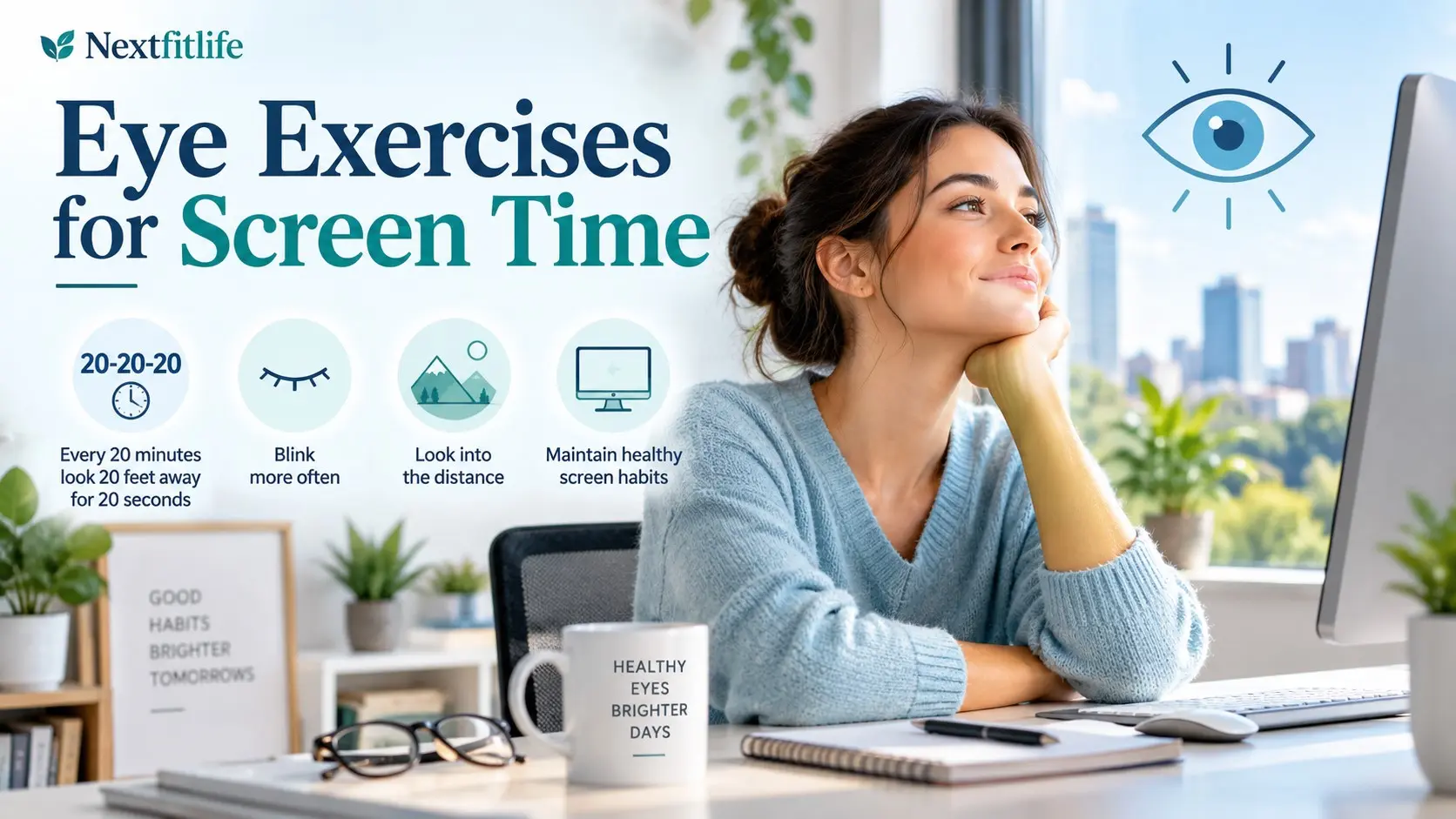
Quick answer: The safest and most useful screen habits are the 20 20 20 rule, looking into the distance during breaks, blinking fully, enlarging text, reducing glare, using suitable artificial tears when needed, and setting up the screen comfortably. Eye rolling, figure eight tracking, palming, massage, and pencil push ups are not universal treatments for computer eye strain.
Medical notice: This article is for general information and education. It does not replace medical advice, diagnosis, or treatment.
I am not a dermatologist or a doctor, and this content does not replace professional medical advice. What I share comes from real life experience, extensive research, and consultation with healthcare providers. Always consult qualified medical professionals for diagnosis and treatment of any health condition.
Get urgent eye care for sudden vision loss, a curtain or shadow across vision, many new flashes or floaters, severe eye pain, chemical injury, major eye trauma, or sudden persistent double vision.
Do not delay urgent care while trying eye exercises.
Table of Contents
- What Eye Exercises for Screen Time Can Do
- What They Cannot Do
- Why Screens Make Eyes Tired
- 12 Smart Relief Techniques
- The 20 20 20 Rule
- Full Blinking
- Distant Viewing
- Near and Far Focus Shifting
- Palming
- Eye Rolling and Figure Eight Exercises
- Pencil Push Ups
- Artificial Tears and Dry Eye
- Screen Position and Glare
- Blue Light Glasses
- Children and Screen Time
- Convergence Insufficiency
- When to Get an Eye Exam
- References and Sources
- Frequently Asked Questions
What Are Eye Exercises for Screen Time?
The phrase usually describes simple habits intended to reduce discomfort during long periods of computer, tablet, or phone use.
Some are genuine relaxation strategies, such as looking away from the screen. Others are traditional exercises that are often promoted without strong evidence.
The useful question is not, “Which eye workout is hardest?”
It is:
Which action targets the actual reason my eyes feel uncomfortable?
LSI: computer eye exercises, digital eye strain relief, 20 20 20 rule, screen eye fatigue, blinking exercises, eye strain headache, and computer vision syndrome are related topics, but they are not all the same treatment.
For the full picture, read the Digital Eye Strain Guide and visit the Eye Health and Vision Hub.
What Eye Exercises Can Actually Help With
Simple screen habits may help reduce temporary symptoms such as:
- Tired eyes
- Dryness
- Burning
- Temporary blur
- Difficulty changing focus after long near work
- Headaches related to prolonged screen use
- Neck and shoulder tension linked with poor posture
They work mainly by interrupting long periods of near focus, encouraging blinking, and changing uncomfortable viewing habits.
What Eye Exercises Cannot Do
General eye exercises do not correct ordinary refractive errors.
They do not cure:
- Nearsightedness
- Farsightedness
- Astigmatism
- Presbyopia
- Cataracts
- Glaucoma
- Macular degeneration
They also do not replace glasses, contact lenses, prescription eye drops, or a proper eye examination.
Some specialist exercises can treat diagnosed eye teaming problems. That is different from using generic exercises because your eyes feel tired after work.
Why Do Screens Make Your Eyes Tired?
Digital eye strain is usually caused by several small stresses happening together.
| Trigger | What Happens | Useful Response |
|---|---|---|
| Long near focus | The visual system stays focused at one close distance | Look away regularly |
| Reduced blinking | Tears evaporate faster | Blink fully and treat dry eye when needed |
| Small text | You squint or lean closer | Increase text size |
| Glare | Contrast becomes harder to manage | Adjust lighting and reflections |
| Vision correction problem | More effort is needed to see clearly | Update the prescription if needed |
| Poor posture | Neck and shoulder discomfort adds to fatigue | Improve workstation setup |
12 Smart Eye Exercises and Relief Techniques
1. Use the 20 20 20 Rule
This is the most practical habit on the list.
Every 20 minutes:
- Look away from the screen.
- Choose something about 20 feet away.
- Keep looking away for around 20 seconds.
You do not need to measure the distance exactly.
The important part is shifting your attention away from close work regularly.
Why It Helps
Your eyes spend less time locked onto one near distance, and the break also gives you a chance to blink normally.
The 20 20 20 numbers are mainly a memorable routine rather than a magic physiological formula.
Make It Easy
- Use a quiet computer reminder.
- Look out a window.
- Look across the room.
- Pair the break with standing or stretching.
Do not take a computer break by looking at your phone.
2. Practice Full, Gentle Blinking
A complete blink spreads the tear film over the surface of the eye.
Screen concentration can reduce blink frequency or make some blinks incomplete.
Try this simple reset:
- Relax your face.
- Close both eyes gently.
- Pause briefly.
- Open normally.
- Repeat several comfortable times.
Do not squeeze the eyelids tightly.
This is not about strengthening muscles. It is about restoring normal tear spreading.
3. Look Into the Distance
Distance viewing is one of the simplest ways to interrupt close work.
Look across the room or out a window and let your eyes settle on a distant object.
You do not need to stare hard or force the target to become sharper.
Just let your visual system switch away from the computer distance.
4. Try Gentle Near and Far Focus Shifting
If it feels comfortable, you can occasionally alternate between something nearby and something farther away.
For example:
- Look at a word on your screen.
- Then look across the room.
- Return to the screen.
This can be used as a visual break.
It does not need to become a repetitive training drill, and there is no evidence that everyone needs to strengthen focusing muscles this way.
Stop if the exercise creates pain, prolonged blur, nausea, or double vision.
5. Close Your Eyes Briefly
Sometimes the most useful “exercise” is simply not looking at anything.
Closing your eyes for 20 to 30 seconds can:
- Interrupt visual work
- Reduce exposure to dry moving air
- Allow normal tear spreading
- Give your face and forehead a moment to relax
You do not need a special technique.
6. Use Palming Only as Relaxation
Palming traditionally involves closing the eyes and covering them loosely with the hands.
If you enjoy it, treat it as a quiet rest period rather than an eye treatment.
Do not press on your eyeballs.
There is no good evidence that hand warmth “resets the retina,” strengthens the eyes, or improves vision.
The useful part is closing the eyes and taking a break.
7. Skip Forceful Eye Rolling
Slowly looking around the room is harmless for most healthy people.
But repeated large circles with the eyes have not been shown to treat digital eye strain.
Your eye muscles are already moving all day.
You do not need ten circles in each direction to restore a supposed lost range of motion.
If eye movement causes pain or double vision, stop and seek assessment.
8. Treat Figure Eight Tracking as Optional
Tracing an imaginary figure eight with the eyes is often marketed as a coordination exercise.
There is no good evidence that normal screen use makes eye tracking deteriorate or that everyone needs this drill.
If it feels relaxing, it can be used gently. It should not replace diagnosis when you have real tracking, reading, or coordination problems.
9. Do Not Use Pencil Push Ups as a General Screen Exercise
Pencil push ups are commonly recommended online, but their role is much narrower than most articles suggest.
They are used in some treatment programs for convergence insufficiency.
Convergence insufficiency is a real eye teaming disorder in which the eyes have difficulty working together during close viewing.
Symptoms can include:
- Double vision
- Blur during close work
- Headache
- Sore or tired eyes
- Losing your place while reading
- Closing one eye during near work
If those symptoms sound familiar, get an eye examination rather than diagnosing yourself using a pencil.
10. Relax Your Jaw, Forehead, Neck, and Shoulders
Some “eye strain” is partly body strain.
Screen users often raise their shoulders, tighten the jaw, lean forward, or wrinkle the forehead while concentrating.
Every so often:
- Drop your shoulders.
- Unclench your jaw.
- Relax your forehead.
- Sit back into your chair.
- Move your neck gently.
This will not change your eyesight, but it can reduce the physical tension that makes screen work feel harder.
11. Step Away and Walk
A longer break helps both your eyes and your body.
Stand up, walk to another room, refill water, or go outdoors for a few minutes.
Your eyes automatically shift between many viewing distances when you move around normally.
You do not need a complicated eye exercise circuit.
12. Fix the Screen Before Adding More Exercises
If the monitor is uncomfortable to see, no exercise routine will solve the underlying problem.
Check:
- Screen distance
- Screen height
- Text size
- Glare
- Room lighting
- Your glasses prescription
- Contact lens comfort
Around an arm's length is a reasonable starting distance for many desktop screens, and the monitor is often most comfortable slightly below straight ahead gaze.
Which Techniques Are Actually Worth Doing?
| Technique | Usefulness | Best Use |
|---|---|---|
| 20 20 20 rule | Useful | Breaks from prolonged near work |
| Full blinking | Useful | Screen related dryness |
| Distance viewing | Useful | Visual break |
| Near and far shifting | Optional | Gentle variation in viewing distance |
| Palming | Relaxation only | Brief closed eye rest |
| Eye rolling | Not routinely needed | No established universal screen strain benefit |
| Figure eight tracking | Not routinely needed | Not established as general screen therapy |
| Pencil push ups | Condition specific | Selected convergence insufficiency treatment plans |
The 20 20 20 Rule Is a Break, Not a Workout
The 20 20 20 rule is often called an exercise, but it is better understood as a structured break.
It asks very little from the eyes.
That is the point.
The National Eye Institute and American Optometric Association both recommend regular distance viewing breaks during screen use.
You do not need to blink exactly ten times or stare hard at the distant object.
Relax and look naturally.
Why Blinking Matters During Screen Use
Every normal blink spreads tears over the cornea.
When this pattern changes, the tear film can break up more quickly.
That can produce:
- Burning
- Gritty eyes
- Temporary blur
- Redness
- Watery eyes
- Contact lens discomfort
Screen use is only one possible trigger.
Dry indoor air, medications, contact lenses, eyelid gland problems, age, and autoimmune disease can also contribute.
For persistent symptoms, see the Dry Eye Syndrome Treatment Guide.
Artificial Tears Can Be More Useful Than Another Exercise
If dryness is driving the discomfort, lubrication may address the actual problem more directly than moving your eyes in circles.
Artificial tears can help many people with mild dry eye symptoms.
If drops are needed frequently, preservative free options may be suitable for some users.
An eye professional can help choose the right approach when symptoms keep returning.
When Near and Far Focus Shifting May Feel Helpful
Looking from the screen to a distant target can feel refreshing after prolonged close work.
You can use this naturally during breaks.
There is no need to:
- Hold a finger three inches from your nose
- Force the eyes to focus through blur
- Repeat dozens of cycles
- Increase difficulty every week
More effort does not automatically mean more benefit.
What Is Convergence Insufficiency?
Convergence means turning both eyes inward so they point at the same near object.
Convergence insufficiency occurs when the eyes have difficulty maintaining this teamwork during near viewing.
A person can have normal distance eyesight and still have convergence insufficiency.
Possible Symptoms
- Double vision while reading
- Words appearing to move
- Losing your place
- Eye strain
- Headache
- Trouble concentrating during close work
- Closing one eye
How Is Convergence Insufficiency Diagnosed?
An eye professional performs specific tests of how well the eyes turn inward and maintain alignment at near distances.
A basic visual acuity check is not always enough.
This is why “my pencil doubled early” is not a diagnosis.
Does Vision Therapy Help Convergence Insufficiency?
Yes, this is an area where exercises can have a true therapeutic role.
National Eye Institute guidance includes specialist directed convergence exercises as a treatment option.
A Cochrane review found that office based vergence therapy with home reinforcement performed better than several home only approaches for children with symptomatic convergence insufficiency.
That evidence supports targeted treatment for a diagnosed disorder.
It does not support prescribing pencil push ups to every office worker.
Read Vision Therapy Exercises for more detail.
Can Eye Exercises Improve Eyesight?
General exercises cannot reshape the cornea or permanently change the eye length responsible for common refractive errors.
They do not eliminate the need for glasses when you have:
- Myopia
- Hyperopia
- Astigmatism
- Presbyopia
Exercises may help specific functional problems when those problems are properly diagnosed.
This distinction protects you from spending time or money on false promises.
Can Eye Exercises Prevent Myopia?
Generic eye exercises have not been shown to prevent childhood myopia.
For children, research supports paying attention to near work patterns and outdoor time rather than relying on eye exercise routines.
If myopia is progressing, an eye professional can discuss evidence based myopia control options.
See Children's Eye Health for more guidance.
Does Palming Improve Vision?
No good evidence shows that palming improves eyesight.
Closing the eyes may feel restful, which is fine.
Avoid claims that darkness “recharges retinal cells” or that hand warmth heals the eye.
Also avoid pressing directly on the eyes.
Should You Massage Around the Eyes?
A gentle temple massage may feel relaxing if you carry tension in the forehead or jaw.
Do not massage the eyeball itself.
Avoid pressure around an eye that is:
- Recently injured
- Recently operated on
- Painful
- Red and inflamed
Persistent eye pain deserves assessment rather than massage.
Blue Light Is Not the Main Reason Your Eyes Feel Tired
Current evidence does not support blue light from normal screens as the main cause of computer eye strain.
The stronger targets are:
- Breaks
- Blinking
- Dry eye treatment
- Glare reduction
- Correct prescription
- Comfortable viewing distance
Blue light filtering glasses also have not shown a clear short term advantage for digital eye strain.
Read Blue Light Eye Damage and Screen Safety for the full evidence review.
Your Screen Setup Matters More Than Complicated Exercises
Screen Distance
An arm's length is a practical starting point for many desktop monitors.
Move farther away for a large display or closer if needed, but increase text size rather than leaning forward.
Screen Height
Many people are comfortable with the screen positioned so their gaze is slightly downward.
Text Size
Make it large enough that you can read without squinting.
Glare
Move bright lamps and windows out of the screen reflection when possible.
Brightness
Match screen brightness to the surrounding room so the display does not feel like a lamp.
A Simple Screen Day Routine That Actually Makes Sense
Before Work
- Make text comfortable to read.
- Remove obvious glare.
- Center the screen.
- Check that your chair and keyboard feel comfortable.
During Work
- Use 20 20 20 breaks.
- Blink normally and fully.
- Look away whenever a natural pause occurs.
- Stand and move during longer breaks.
- Use suitable artificial tears if known dryness is present.
At Lunch
Leave the screen if you can.
Walking or eating away from the desk creates a real break for both the eyes and the body.
After Work
Notice whether symptoms resolve away from the computer.
If your eyes remain painful, blurry, very dry, or uncomfortable long after screen use ends, arrange an eye examination.
Do You Need a Timer Every 20 Minutes?
Not necessarily.
Some people find reminders useful, while others find them distracting.
You can also use natural work transitions:
- After sending an email
- After finishing a paragraph
- Between calls
- When a page loads
- Before starting a new task
The goal is regular relief from continuous near work, not perfect obedience to a timer.
What About Contact Lenses?
Contact lenses can make dryness more noticeable during prolonged computer use.
If this happens:
- Take regular breaks.
- Blink fully.
- Use compatible lubricating drops if your eye professional recommends them.
- Consider switching to glasses for some long screen sessions.
Persistent contact lens discomfort needs professional review.
Eye Exercises for Children Using Screens
Children do not need complicated daily eye exercise programs simply because they use tablets or computers.
More useful habits include:
- Regular breaks from near work
- Comfortable reading distance
- Daily outdoor time
- Good lighting
- Appropriate eye examinations
Watch for frequent squinting, headaches, closing one eye, losing place while reading, or holding screens very close.
Eye Exercises for People Over 40
After about age 40, many people notice that near focus becomes harder because of presbyopia.
This is an age related change in the eye's lens.
Generic focusing exercises do not reverse it.
If screen work becomes difficult, the solution may be:
- Reading glasses
- Computer glasses
- Progressive lenses
- A prescription designed for intermediate distance
See Eye Health After 40.
Can Computer Glasses Help?
Sometimes.
Computer glasses can be useful when your normal glasses are not optimized for your monitor distance.
For example, ordinary reading glasses may focus too closely for a desktop screen.
The benefit comes from matching the optical prescription to your work distance.
It does not depend on a blue light coating.
How Long Should Eye Strain Take to Improve?
There is no universal timeline.
Mild screen discomfort can ease after a short break.
Symptoms may keep returning every day if the underlying cause remains.
A promise that every person will improve within one or two weeks is not evidence based.
If symptoms continue despite good screen habits, get your eyes checked.
Common Myths About Eye Exercises for Screen Time
Myth 1: Screen Use Makes Your Eye Muscles Weak
Too simple. Digital eye strain is not usually a muscle weakness disorder.
Myth 2: Eye Rolling Restores Lost Range of Motion
There is no evidence that normal screen users lose eye movement range and need circles to restore it.
Myth 3: Figure Eight Exercises Improve Everyone's Eye Coordination
Not proven. Real eye coordination problems need proper testing.
Myth 4: Pencil Push Ups Diagnose Weak Convergence
False. Convergence insufficiency requires professional assessment.
Myth 5: Palming Heals Tired Retinal Cells
There is no good evidence for this claim. Closing the eyes can simply feel relaxing.
Myth 6: Eye Exercises Can Remove Your Glasses
General exercises do not correct myopia, hyperopia, astigmatism, or presbyopia.
Myth 7: Blue Light Glasses Are Essential for Screen Users
Strong evidence does not show a meaningful short term benefit for ordinary digital eye strain.
Myth 8: The Harder the Exercise, the Better
False. Pain, prolonged blur, or double vision are reasons to stop, not signs that an exercise is working.
Myth 9: Everyone Needs the Same Routine
False. Dry eye, refractive errors, migraine, convergence problems, and poor ergonomics need different solutions.
Myth 10: Exercises Replace Eye Exams
They do not.
When Should You Get an Eye Exam?
Arrange an examination if you have:
- Daily eye strain despite changing screen habits
- Blur that does not clear after resting
- Double vision
- Frequent headaches during close work
- Persistent dry eye
- Increasing light sensitivity
- Eye pain
- One eye that seems worse than the other
- A glasses prescription that no longer feels right
- Difficulty reading or losing your place often
Eye Symptoms That Need Faster Care
| Red Flag | Why It Matters | Action |
|---|---|---|
| Sudden vision loss | Possible retinal, vascular, or neurological emergency | Emergency care |
| Curtain or shadow over vision | Possible retinal detachment | Emergency eye assessment |
| Many new flashes or floaters | Possible retinal tear or detachment | Urgent eye examination |
| Severe eye pain | Not typical screen strain | Urgent assessment |
| Sudden persistent double vision | May have neurological or eye movement causes | Prompt medical assessment |
Key Takeaways
- Eye exercises for screen time should focus mainly on comfort and breaks rather than strenuous eye workouts.
- The 20 20 20 rule is a useful reminder to interrupt prolonged close work.
- Full blinking can help spread the tear film during concentrated screen use.
- Distance viewing is a simple and useful screen break.
- Near and far focus shifting can be used gently but does not need to become intensive training.
- Palming is relaxation, not proven vision therapy.
- Eye rolling has no established universal benefit for digital eye strain.
- Figure eight tracking is not required for normal screen users.
- Pencil push ups are not a general computer eye exercise.
- Convergence exercises can help diagnosed convergence insufficiency.
- Artificial tears may help when dryness is driving symptoms.
- The correct glasses prescription can matter more than exercises.
- Blue light filtering glasses are not required for ordinary screen strain.
- General exercises do not correct myopia, astigmatism, hyperopia, or presbyopia.
- Persistent or unusual symptoms need an eye examination.
References and Sources
- National Eye Institute.
Convergence Insufficiency.
https://www.nei.nih.gov/eye-health-information/eye-conditions-and-diseases/convergence-insufficiency - American Optometric Association.
Computer Vision Syndrome.
https://www.aoa.org/healthy-eyes/eye-and-vision-conditions/computer-vision-syndrome/20-20-20-rule - American Academy of Ophthalmology.
Digital Devices and Your Eyes.
https://www.aao.org/eye-health/tips-prevention/blue-light-digital-eye-strain - American Academy of Ophthalmology.
Computers, Digital Devices, and Eye Strain.
https://www.aao.org/eye-health/tips-prevention/computer-usage - Cochrane.
Treatments for Convergence Insufficiency.
https://www.cochrane.org/evidence/CD006768_how-do-different-treatments-vision-disorder-convergence-insufficiency-compare-effectiveness - Cochrane.
Eyeglasses, Contact Lenses or Eye Surgery for Computer Users.
https://www.cochrane.org/evidence/CD009877_eyeglasses-contact-lenses-or-eye-surgery-preventing-and-treating-eye-symptoms-computer-users - National Eye Institute.
Healthy Vision Month Screen Time Tips.
https://www.nei.nih.gov/about/education-and-outreach/healthy-vision-resources/healthy-vision-month/healthy-vision-month-social-media-library
Conclusion: Keep Eye Exercises for Screen Time Simple
The best eye exercises for screen time are not complicated workouts. They are small habits that interrupt prolonged near work, support normal blinking, and make the screen easier to use.
Start with the 20 20 20 rule, full blinking, comfortable distance viewing, larger text, reduced glare, and better posture. If dryness, headaches, persistent blur, or double vision keep returning, stop adding exercises and get your eyes checked so the real cause can be treated.
Internal Links + Hub
- Eye Health and Vision Hub
- Complete Eye Health Guide
- Digital Eye Strain Relief
- Blue Light Eye Damage and Screen Safety
- Vision Therapy Exercises
- Eye Yoga Exercises for Better Vision
- Dry Eye Syndrome Treatment
- Meibomian Gland Dysfunction
- Children's Eye Health
- Eye Health After 40
- Computer Glasses vs Blue Light Glasses
- Sleep and Eye Health
About the Author
Adel Galal is a father of four (three sons and a daughter) and a grandfather of four, with 33 years of hands on parenting experience. He is the founder of Parnthub.com, based in Cairo, Egypt, where he shares practical guidance on feeding, development and family life from newborns to teenagers. Adel is not a medical professional; health articles cite trusted sources and are for general information only.
Frequently Asked Questions
Do eye exercises for screen time really help?
Some simple techniques can improve comfort. Regular distance breaks, full blinking, better screen setup, and dry eye care can help reduce digital eye strain. More complicated eye exercises are not needed for most screen users.
What is the best eye exercise for computer users?
The 20 20 20 rule is one of the simplest useful habits. Every 20 minutes, look about 20 feet away for around 20 seconds to interrupt prolonged near work.
Does blinking help computer eye strain?
Yes. Full blinking spreads the tear film across the eye surface. Screen concentration can reduce blink frequency or completeness, which may worsen dry eye symptoms.
Does palming improve eyesight?
No good evidence shows that palming improves eyesight. Closing the eyes can feel relaxing, but avoid pressing on the eyeballs or believing that warmth repairs the retina.
Are eye rolling exercises good for digital eye strain?
There is no established universal benefit from eye rolling for digital eye strain. Gentle eye movement is usually harmless, but forceful or repetitive circles are not necessary.
Do figure eight eye exercises improve coordination?
They are not proven as routine treatment for normal screen users. If you have genuine tracking or eye coordination symptoms, an eye professional should identify the cause.
Should I do pencil push ups for computer eye strain?
Not routinely. Pencil push ups are used in some treatment plans for diagnosed convergence insufficiency. They should not be treated as a universal screen exercise.
Can eye exercises remove the need for glasses?
No. General eye exercises do not correct nearsightedness, farsightedness, astigmatism, or presbyopia and cannot replace an appropriate glasses prescription.
What is convergence insufficiency?
Convergence insufficiency is an eye teaming problem in which the eyes have difficulty working together during close tasks. It can cause headaches, tired eyes, blur, double vision, and trouble reading.
Does vision therapy work for convergence insufficiency?
Structured convergence therapy can help diagnosed convergence insufficiency. Evidence supports specialist directed treatment, especially in children, rather than assuming every person with screen strain needs the same exercises.
How quickly should eye strain improve?
There is no universal timeline. Mild symptoms may improve after a break, while symptoms caused by dry eye, an incorrect prescription, or an eye coordination problem can continue until the underlying issue is treated.
When should I see an eye doctor for screen strain?
Arrange an eye examination if you have daily symptoms despite good screen habits, persistent blur, double vision, frequent headaches, eye pain, ongoing dryness, worsening light sensitivity, or difficulty reading.
When are eye symptoms urgent?
Seek urgent eye care for sudden vision loss, a curtain or shadow over vision, many new flashes or floaters, severe eye pain, chemical injury, major trauma, or sudden persistent double vision.

Health & wellness writer with 30+ years of experience in nutrition, fitness, and healthy aging. Founder of NextFitLife.com — evidence-based health guidance.