
Published on: February 13, 2026
Updated: October 19, 2026
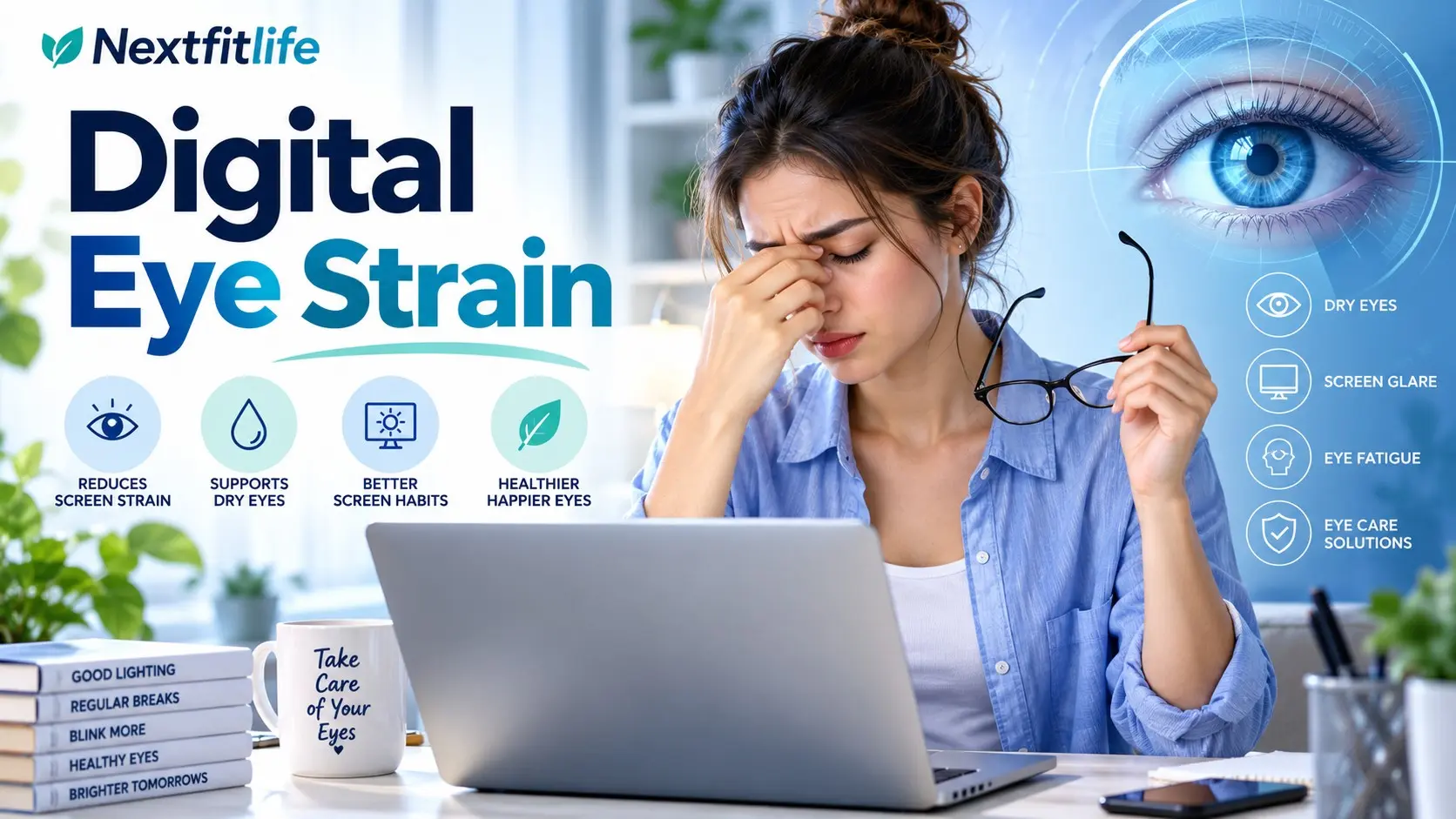
Digital eye strain can make a normal day at a computer feel much harder than it should. Your eyes may burn, feel dry or heavy, blur after long periods of close work, or trigger a headache by the end of the day.
The condition is also called computer vision syndrome. It describes a group of eye, vision, and body symptoms linked with prolonged use of computers, phones, tablets, electronic readers, and other near work.
Quick answer: Digital eye strain is usually temporary and does not mean screens are permanently damaging your eyes. The most useful strategies are taking regular visual breaks, blinking fully, reducing glare, making text easy to read, using the correct glasses prescription, keeping the screen at a comfortable distance, and treating dry eye when it is present.
Medical notice: This article is for general information and education. It does not replace medical advice, diagnosis, or treatment.
I am not a dermatologist or a doctor, and this content does not replace professional medical advice. What I share comes from real life experience, extensive research, and consultation with healthcare providers. Always consult qualified medical professionals for diagnosis and treatment of any health condition.
Get urgent eye care for sudden vision loss, severe eye pain, a curtain or shadow across vision, many new flashes or floaters, a chemical eye injury, major eye trauma, or a red painful eye with nausea or vomiting.
Do not assume sudden or severe vision symptoms are simply digital eye strain.
Table of Contents
- What Digital Eye Strain Means
- Common Symptoms
- Why Screens Trigger Symptoms
- 12 Proven Relief Strategies
- The 20 20 20 Rule
- Blinking and Dry Eye
- Screen Distance and Height
- Lighting and Glare
- Text Size and Display Settings
- Artificial Tears
- Blue Light Glasses
- Computer Glasses
- Dark Mode
- Phones, Tablets, and Gaming
- Children and Screen Use
- Digital Eye Strain and Myopia
- When to Get an Eye Exam
- References and Sources
- Frequently Asked Questions
What Is Digital Eye Strain?
Digital eye strain is a group of symptoms that can happen when your eyes spend long periods doing demanding near work.
Screens are a common trigger because people may stare closely, blink less often, use small text, work in poor lighting, or keep the eyes focused at one distance for long periods.
The term does not mean a computer is burning or permanently weakening the eyes.
LSI: computer vision syndrome, screen eye fatigue, tired eyes, screen related dry eye, eye strain headache, and computer eye strain all describe overlapping symptoms.
For broader eye health guidance, visit the Complete Eye Health Guide and the Eye Health and Vision Hub.
Common Symptoms of Digital Eye Strain
Symptoms vary from one person to another.
Eye Symptoms
- Tired or heavy eyes
- Burning
- Stinging
- Dryness
- Scratchy or gritty feeling
- Watery eyes
- Blurred vision
- Difficulty shifting focus
- Eye discomfort
- Sensitivity to light
Head and Body Symptoms
- Headache
- Neck discomfort
- Shoulder tension
- Upper back discomfort
- Leaning forward to see clearly
- General fatigue after long computer sessions
Neck and shoulder symptoms often come from the workspace as much as from the eyes.
Digital Eye Strain vs Dry Eye
The two often overlap, but they are not exactly the same.
| Feature | Digital Eye Strain | Dry Eye Disease |
|---|---|---|
| Main trigger | Prolonged visual demand and screen use | Poor tear production or poor tear quality |
| Burning | Can occur | Common |
| Blur | Often temporary | Can fluctuate with tear quality |
| Headache | Common | Less specific |
| Screen use | Major trigger | Can make symptoms worse by reducing blinking |
If dryness is a major part of the problem, read Dry Eye Syndrome Treatment.
Why Do Screens Cause Eye Strain?
There is rarely one cause.
Several small factors often add up over the day.
Long Periods of Near Focus
Reading text at a close distance requires the visual system to maintain focus and eye alignment.
Long periods without looking away can become uncomfortable, especially if your prescription is not ideal.
Reduced or Incomplete Blinking
People often blink less fully while concentrating on screens.
That matters because each complete blink spreads the tear film across the surface of the eye.
When blinking becomes less frequent or incomplete, tears can evaporate faster and the eye surface can become uncomfortable.
Small Text
If text is too small, you may squint or move closer without noticing.
That increases visual demand and can also worsen posture.
Glare and Reflections
Bright windows, glossy screens, strong overhead lights, and reflections can make text harder to see comfortably.
Uncorrected Vision Problems
Even a mild prescription issue can become more noticeable after hours of close work.
Examples include:
- Nearsightedness
- Farsightedness
- Astigmatism
- Presbyopia
- Problems with focusing or eye coordination
Poor Ergonomics
If the monitor is too high, too low, too far away, or off to one side, you may compensate by tilting your head or leaning forward.
The result can be eye discomfort plus neck, shoulder, and back symptoms.
12 Proven Relief Strategies for Digital Eye Strain
1. Use the 20 20 20 Rule
This is one of the simplest habits to remember.
Every 20 minutes:
- Look away from the screen
- Choose something about 20 feet away
- Keep looking away for about 20 seconds
The goal is not that the numbers are biologically magical.
The value is that the rule creates regular breaks from prolonged near focus.
Does the 20 20 20 Rule Really Work?
The rule is recommended by major eye health organizations because frequent visual breaks are sensible and low risk.
It helps you stop continuous close focus and often reminds you to blink.
You do not need to measure exactly 20 feet with a ruler.
Look across a room, through a window, or toward another distant object.
Make It Easier to Remember
- Set a quiet timer.
- Use a smartwatch reminder.
- Place a small note beside the monitor.
- Look away whenever you finish a paragraph or task.
- Pair the habit with drinking water or standing up.
Do not use the break to look at your phone.
2. Blink Fully
You do not need to count an exact number of blinks each minute.
Instead, notice whether you are staring.
Every so often, gently close your eyes fully and reopen them.
A complete blink helps spread tears over the eye surface.
3. Make the Text Bigger
If you lean toward the screen or squint, increase the text size.
Comfort matters more than proving you can read tiny text.
Use:
- Browser zoom
- Larger system font settings
- Higher contrast
- Reading mode when helpful
The best setting is the one that lets you sit comfortably without straining to see.
4. Place the Monitor at a Comfortable Distance
For many desktop setups, about an arm's length is a practical starting point.
A larger monitor may be comfortable farther away.
A smaller screen may need to be somewhat closer.
There is no perfect distance that fits every person because screen size, text size, prescription, and desk depth vary.
5. Keep the Screen Slightly Below Eye Level
A screen placed slightly below straight ahead gaze is often comfortable for computer work.
This position can reduce the need to hold the eyes wide open and may also support a more relaxed neck posture.
The exact angle does not need to be measured precisely.
6. Reduce Glare
Move the screen or adjust the lighting rather than trying to tolerate bright reflections all day.
Helpful Changes
- Place the monitor away from direct window reflections.
- Use blinds or curtains when sunlight is harsh.
- Reduce very bright overhead lighting if possible.
- Clean fingerprints and dust from the display.
- Try a matte screen surface or glare filter when reflections remain troublesome.
7. Match Screen Brightness to the Room
The screen should not feel like a bright lamp in a dark room.
It also should not be so dim that you struggle to read it.
Adjust brightness as lighting changes through the day.
8. Use Artificial Tears When Dryness Is Part of the Problem
Artificial tears can help when prolonged screen use leaves the eyes dry or gritty.
Preservative free products can be useful for people who need drops frequently.
Do not assume all redness drops are the same thing.
Some products mainly reduce visible redness rather than treating tear film problems.
If you need drops very often, have the eyes evaluated for dry eye disease.
9. Improve the Air Around Your Eyes
Air conditioning, heaters, fans, and dry indoor environments can increase tear evaporation.
Try:
- Moving a fan away from your face
- Avoiding direct air conditioning flow
- Using a humidifier when indoor air is very dry
- Taking breaks away from the workstation
10. Update Your Glasses Prescription
If your prescription is outdated, hours of screen use can expose the problem quickly.
You may notice:
- Squinting
- Headache
- Blur
- Leaning toward the screen
- Difficulty changing focus
An eye examination can determine whether your normal prescription is appropriate for your working distance.
11. Improve Your Sitting Position
Eye comfort and body comfort are linked.
Try to keep:
- Feet supported
- Shoulders relaxed
- Keyboard easy to reach
- Monitor centered in front of you
- Head balanced rather than leaning forward
If you use two monitors equally, placing them so the center line sits close to your natural gaze may be more comfortable than repeatedly turning far to one side.
12. Take Longer Movement Breaks Too
The 20 20 20 rule helps your eyes, but your whole body also needs breaks.
Stand, walk, stretch, or change position regularly.
You do not need a rigid five minute break every exact hour if your work makes that impossible.
The goal is to avoid sitting and staring in the same position for hours without interruption.
What Is the Best Monitor Setup?
| Setting | Good Starting Point | Adjust If |
|---|---|---|
| Distance | About an arm's length | You lean forward or the screen feels overwhelming |
| Height | Center of screen below straight ahead gaze | You tilt your neck up or down |
| Text size | Comfortably readable without squinting | You lean toward the screen |
| Brightness | Similar to room brightness | The display feels glaring or muddy |
| Glare | Minimal visible reflections | Windows or lamps reflect in the display |
Do Blue Light Glasses Help Digital Eye Strain?
Probably not in a meaningful way for most people.
This is one of the biggest corrections from older advice about digital eye strain.
A major Cochrane review of randomized trials found that blue light filtering spectacle lenses may provide little or no short term benefit for computer related eye strain compared with ordinary lenses.
The American Academy of Ophthalmology also does not recommend special blue light blocking eyewear simply for computer use.
If blue light glasses feel comfortable, wearing them is your choice. Just do not expect them to fix problems caused by:
- Dry eye
- Poor screen position
- Small text
- An outdated prescription
- Glare
- Hours of uninterrupted near focus
For a deeper review, read Blue Light Eye Damage and Screen Protection.
Does Screen Blue Light Damage the Retina?
Normal consumer screen exposure has not been shown to damage the retina in the way some marketing claims suggest.
Sunlight is a much stronger source of blue visible light than digital screens.
That does not mean screen habits are irrelevant. Screens can still cause discomfort through prolonged close focus and reduced blinking.
It means that eye strain and retinal injury should not be treated as the same thing.
Blue Light and Sleep Are a Separate Issue
Bright light late in the evening can influence the body's circadian rhythm.
Screen use near bedtime may also keep you mentally engaged when you should be winding down.
Night mode or warmer screen colors can make a display feel more comfortable, but the simplest sleep strategy is often reducing stimulating screen use before bed.
See Sleep and Eye Health for more guidance.
Do You Need Computer Glasses?
Not everyone does.
Computer glasses can be helpful when your normal prescription does not match your working distance.
For example, people with presbyopia may find that reading glasses designed for a very close book distance are not ideal for a monitor farther away.
An eye professional can prescribe lenses for your actual computer distance when needed.
The useful feature is the correct optical prescription, not necessarily a blue light coating.
What About Anti Reflection Coatings?
Anti reflection coatings can reduce reflections from spectacle lenses and may improve visual comfort for some people.
This is different from claiming that blue light filtering prevents eye damage.
If reflections from your glasses bother you, discuss lens coatings with your optician or eye professional.
Is Dark Mode Better for Your Eyes?
There is no universal winner.
Some people prefer dark mode in a dim environment because the screen feels less bright.
Others find dark text on a light background easier to read, especially in daylight.
Use the setting that gives you clear text without glare or squinting.
Do not force dark mode because someone online says it is medically healthier.
Do Eye Exercises Cure Digital Eye Strain?
Looking away from the screen can relieve prolonged near focus.
That is useful.
However, rolling the eyes in circles, tracing shapes, palming, or repeatedly focusing on a finger has not been proven to correct ordinary refractive errors or permanently strengthen vision.
If an eye doctor diagnoses a specific binocular vision or focusing problem, prescribed vision therapy is a different situation.
Read Vision Therapy Exercises for that distinction.
Does Palming Help?
Closing the eyes and resting them for a moment can feel relaxing.
You do not need to rub your hands, apply heat, or press on the eyeballs.
Never press firmly on closed eyes.
The benefit comes mostly from stopping visual work and relaxing, not from a special eye treatment.
Cool Compress or Warm Compress?
The answer depends on the symptom.
A cool clean compress may feel soothing if the eyes feel hot or irritated.
A warm compress is often used when meibomian gland dysfunction contributes to evaporative dry eye.
If eyelid oil glands are part of the problem, see Meibomian Gland Dysfunction.
Artificial Tears for Screen Related Dryness
Artificial tears are a reasonable first step when screen use causes mild dryness.
Products differ in thickness, ingredients, and preservatives.
If you need drops often, preservative free options may be more comfortable for some people.
Persistent dryness may require a proper dry eye assessment rather than increasingly frequent self treatment.
Do You Need to Drink More Water?
Normal hydration supports general health.
There is no need to force a fixed number of glasses simply to treat digital eye strain.
If you are dehydrated, correcting that is sensible. However, many cases of screen related dryness are driven more by reduced blinking, tear evaporation, medications, dry indoor air, or underlying dry eye disease.
Phones Can Be More Demanding Than Large Monitors
A smartphone is often held closer to the face than a desktop monitor.
Text is also smaller, and people may use phones in awkward positions.
Make Phone Use Easier
- Increase text size.
- Move the phone farther away if you are holding it very close.
- Keep the screen around a comfortable reading height.
- Avoid long sessions without looking away.
- Use voice input when useful.
- Do not use a phone as your only break from computer work.
Tablets and Electronic Readers
Tablets can be comfortable for reading if the text is large and the device is supported.
Holding a heavy tablet for long periods can create neck, shoulder, or wrist discomfort.
A stand can reduce the need to bend the neck downward for long sessions.
Digital Eye Strain in Gamers
Gaming creates a special challenge because concentration can be intense and sessions can last for hours.
Players may blink less and ignore discomfort until the game ends.
Useful Gaming Habits
- Use visual breaks between matches or rounds.
- Keep the room moderately lit.
- Avoid screen reflections.
- Use a comfortable viewing distance.
- Make text and interface elements easy to see.
- Remember to blink.
Working From Home Can Increase Digital Eye Strain
A laptop on a sofa can work for a short task, but hours in that position can become uncomfortable.
If you work remotely most days, consider:
- A separate keyboard
- A mouse
- A laptop stand or external monitor
- A supportive chair
- A screen positioned in front of you
- Regular breaks away from the desk
The goal is not a perfect designer office. It is a setup that lets your head, neck, shoulders, and eyes stay comfortable.
Digital Eye Strain in Children
Children can also develop eye discomfort during long periods of screen use.
They may not describe symptoms clearly, so watch for:
- Rubbing the eyes
- Frequent blinking
- Headaches
- Moving very close to the screen
- Closing one eye
- Avoiding reading
- Blurred vision complaints
Children also need time outdoors and breaks from prolonged near work.
Read Children's Eye Health for a broader guide.
Do Screens Cause Nearsightedness?
The relationship is more complex than saying screens directly cause myopia.
In children, more time spent doing near work and less time outdoors are associated with myopia development and progression.
Screens are one type of near work, along with books, homework, and other close tasks.
Outdoor time appears to be protective against the development of myopia in children.
This is different from digital eye strain, which is mainly about temporary discomfort during or after near work.
Can Digital Eye Strain Permanently Damage Your Eyes?
Typical digital eye strain does not cause permanent eye damage.
Symptoms usually reflect visual fatigue, dryness, glare, focusing demand, ergonomics, or an uncorrected vision problem.
However, persistent symptoms still deserve attention because they can reveal dry eye disease, an outdated glasses prescription, or another eye condition.
How Long Does Digital Eye Strain Last?
There is no universal recovery time.
Mild symptoms can settle after taking a break or stopping screen use.
Symptoms may keep returning if the underlying trigger remains.
The old promise that most people fully recover within one or two weeks is too specific.
If discomfort continues despite sensible changes, get an eye examination.
Why Do My Eyes Blur After Looking Away From the Screen?
Temporary blur when changing from near to far can happen after prolonged near focus.
Dryness can also make vision fluctuate.
If the blur lasts, happens frequently, affects one eye much more than the other, or interferes with driving or normal activities, arrange an eye examination.
Why Do Screens Cause Headaches?
A screen related headache can have several contributors:
- Uncorrected vision
- Long near focus
- Glare
- Squinting
- Poor posture
- Dry eye
- Migraine sensitivity
- Long periods without food, water, or breaks
If headaches are frequent, severe, new, or associated with neurological symptoms, do not assume they are only eye strain.
When Digital Eye Strain May Actually Be Dry Eye Disease
Consider dry eye evaluation if you have:
- Persistent burning
- Gritty sensation
- Frequent redness
- Watery eyes
- Fluctuating vision
- Contact lens discomfort
- Symptoms even when you are not using screens
National Eye Institute guidance notes that long screen sessions can worsen dry eye because people may blink less.
When Digital Eye Strain May Be a Prescription Problem
Clues include:
- You move closer to read text.
- You squint.
- One eye feels more strained.
- You get headaches during close work.
- Distance vision stays blurry after the screen is turned off.
- You are over 40 and near focus has become harder.
Presbyopia becomes more common with age and can make computer work harder without the correct lenses.
See Eye Health After 40 for more information.
Common Myths About Digital Eye Strain
Myth 1: Screens Permanently Damage Your Eyes
Typical digital eye strain causes temporary symptoms rather than permanent eye damage.
Myth 2: Blue Light Is the Main Cause
False. Prolonged near focus, reduced blinking, dry eye, glare, poor ergonomics, and uncorrected vision are more useful targets.
Myth 3: Blue Light Glasses Cure Computer Eye Strain
Not supported by strong evidence. Randomized trial reviews show little or no short term benefit compared with ordinary lenses.
Myth 4: Everyone Blinks Exactly 66 Percent Less at a Screen
Too precise. Research does show that screen use can change blink rate and completeness, but the amount varies between people and tasks.
Myth 5: You Must Keep Your Monitor Exactly 20 to 26 Inches Away
No. An arm's length is a useful starting point, but screen size, font size, prescription, and individual comfort matter.
Myth 6: Dark Mode Is Always Healthier
No. Choose the display mode that feels comfortable and keeps text easy to read in your environment.
Myth 7: Eye Rolling Exercises Make the Eyes Stronger
Not for ordinary digital eye strain. Looking away and resting can help, but generic eye movements do not correct myopia, astigmatism, or presbyopia.
Myth 8: Drinking Extra Water Fixes Screen Dryness
Normal hydration matters, but screen related dryness is often driven more by tear evaporation and reduced blinking.
A Practical Screen Comfort Routine
Before You Start
- Make text comfortably large.
- Remove obvious screen glare.
- Place the monitor around an arm's length away.
- Keep it slightly below straight ahead gaze.
- Make sure your glasses prescription is appropriate.
While You Work
- Use regular 20 20 20 breaks.
- Blink fully.
- Change posture from time to time.
- Stand and move during longer breaks.
- Use artificial tears if dryness is a known problem and the product is suitable for you.
At the End of the Day
- Notice which symptoms developed.
- Check whether they disappear away from screens.
- Adjust the setup if the same problem returns daily.
- Arrange an eye exam if blur, pain, headaches, or dryness persist.
When Should You See an Eye Doctor?
Arrange an examination if:
- Symptoms happen almost every day
- Blurred vision does not clear after resting
- One eye is noticeably worse
- You develop double vision
- Headaches are becoming frequent
- You need eye drops repeatedly
- Your prescription may be outdated
- You have persistent redness
- Light sensitivity is increasing
- Screen changes do not help
Digital Eye Strain Red Flags
| Red Flag | Why It Matters | Action |
|---|---|---|
| Sudden vision loss | Possible retinal, vascular, or neurological emergency | Emergency eye care |
| Curtain or shadow over vision | Possible retinal detachment | Emergency assessment |
| Many new flashes or floaters | Possible retinal tear or detachment | Urgent eye examination |
| Severe eye pain | Not typical digital eye strain | Urgent assessment |
| Red painful eye with nausea | Possible acute glaucoma or another emergency | Emergency care |
| Chemical eye exposure | Can rapidly injure eye tissue | Immediate irrigation and emergency care |
Key Takeaways
- Digital eye strain is also called computer vision syndrome.
- Common symptoms include tired eyes, dryness, blur, headaches, and neck discomfort.
- Typical digital eye strain does not permanently damage the eyes.
- Reduced or incomplete blinking can worsen screen related dry eye.
- The 20 20 20 rule is a simple way to build regular visual breaks.
- Text should be large enough that you do not squint or lean forward.
- An arm's length is a useful starting point for monitor distance, not a strict medical rule.
- Reducing glare and balancing room light can improve comfort.
- Artificial tears can help when dryness contributes to symptoms.
- Blue light blocking glasses have not shown meaningful short term benefit for digital eye strain in the best available trials.
- The right glasses prescription matters more than a blue light coating.
- Dark mode is a personal comfort choice rather than a medical requirement.
- Children benefit from regular breaks from close work and more outdoor time.
- Persistent symptoms deserve an eye examination.
References and Sources
- American Optometric Association.
Computer Vision Syndrome.
https://www.aoa.org/healthy-eyes/eye-and-vision-conditions/computer-vision-syndrome - National Eye Institute.
Dry Eye.
https://www.nei.nih.gov/eye-health-information/eye-conditions-and-diseases/dry-eye - National Eye Institute.
Causes of Dry Eye.
https://www.nei.nih.gov/eye-health-information/eye-conditions-and-diseases/dry-eye/causes-dry-eye - National Eye Institute.
Healthy Vision Month Screen Time Guidance.
https://www.nei.nih.gov/about/education-and-outreach/healthy-vision-resources/healthy-vision-month/healthy-vision-month-social-media-library - Cochrane.
Blue Light Filtering Spectacle Lenses for Visual Performance, Macular Protection, and Sleep.
https://www.cochrane.org/evidence/CD013244_blue-light-filtering-spectacle-lenses-visual-performance-macular-back-part-eye-protection-and - American Academy of Ophthalmology.
Should You Be Worried About Blue Light?
https://www.aao.org/eye-health/tips-prevention/should-you-be-worried-about-blue-light - Sheppard AL, Wolffsohn JS.
Digital Eye Strain: Prevalence, Measurement and Amelioration.
https://pubmed.ncbi.nlm.nih.gov/29963645/
Conclusion: Digital Eye Strain Usually Responds to Better Screen Habits
Digital eye strain can make work, study, reading, and gaming uncomfortable, but the solution is usually more practical than buying special glasses or avoiding screens completely.
Take regular visual breaks, blink fully, enlarge text, reduce glare, keep the monitor comfortable to view, and treat dryness when it is part of the problem. If symptoms keep returning despite these changes, arrange an eye examination so dry eye, an outdated prescription, or another vision problem is not being missed.
Internal Links + Hub
About the Author
Adel Galal is a father of four (three sons and a daughter) and a grandfather of four, with 33 years of hands on parenting experience. He is the founder of Parnthub.com, based in Cairo, Egypt, where he shares practical guidance on feeding, development and family life from newborns to teenagers. Adel is not a medical professional; health articles cite trusted sources and are for general information only.
Frequently Asked Questions
What are the symptoms of digital eye strain?
Digital eye strain can cause tired or heavy eyes, burning, dryness, gritty eyes, watery eyes, temporary blurred vision, difficulty refocusing, headaches, and neck or shoulder discomfort.
What causes digital eye strain?
Common causes include prolonged near focus, reduced or incomplete blinking, dry eye, small text, glare, poor screen position, awkward posture, and uncorrected vision problems.
What is the fastest way to relieve digital eye strain?
Stop looking at the screen for a few minutes, look into the distance, blink fully, reduce glare, enlarge small text, and use suitable artificial tears if dryness is part of the problem.
Does the 20 20 20 rule help digital eye strain?
Yes. The 20 20 20 rule is a simple way to create regular breaks from prolonged near focus. Every 20 minutes, look about 20 feet away for about 20 seconds.
Do blue light glasses help digital eye strain?
The best available randomized trial evidence suggests blue light filtering glasses provide little or no short term benefit for computer related eye strain compared with ordinary lenses.
Can screens permanently damage my eyes?
Typical digital eye strain does not cause permanent eye damage. Screens can still trigger temporary eye discomfort, dryness, headaches, and blurred vision, especially during long periods of uninterrupted use.
What is the best screen distance for your eyes?
About an arm's length is a useful starting point for many desktop monitors. The best distance depends on monitor size, text size, your prescription, and personal comfort.
Is dark mode better for digital eye strain?
Not necessarily. Some people prefer dark mode in dim rooms, while others find dark text on a light background easier to read. Choose the setting that gives you the clearest comfortable view.
Can artificial tears help screen eye strain?
Yes, artificial tears can help if screen use is contributing to dry or gritty eyes. Persistent or severe dryness should be evaluated because dry eye disease may need more specific treatment.
Do eye exercises cure digital eye strain?
Taking visual breaks and looking into the distance can reduce prolonged near focus, but generic eye exercises do not correct nearsightedness, farsightedness, astigmatism, or presbyopia.
Can children get digital eye strain?
Yes. Children can develop headaches, tired eyes, blur, dryness, or discomfort during long periods of screen and near work. Regular breaks, comfortable screen setup, outdoor time, and eye exams when needed can help.
When should I see an eye doctor for digital eye strain?
Arrange an eye examination if symptoms happen daily, blurred vision does not clear after resting, you have persistent redness or dryness, headaches are frequent, you develop double vision, or screen setup changes do not help.
When are eye symptoms an emergency?
Seek urgent eye care for sudden vision loss, a curtain or shadow over vision, many new flashes or floaters, severe eye pain, chemical injury, major trauma, or a red painful eye with nausea or vomiting.

Health & wellness writer with 30+ years of experience in nutrition, fitness, and healthy aging. Founder of NextFitLife.com — evidence-based health guidance.